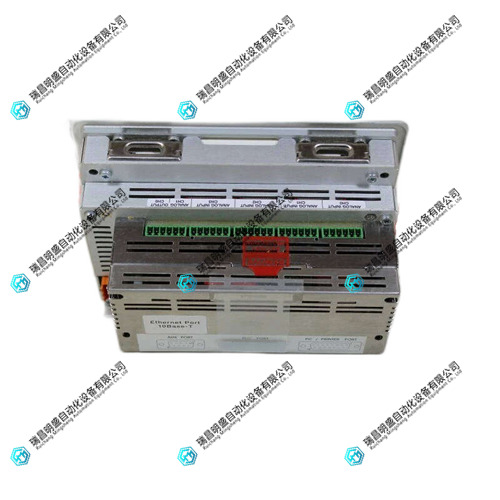


1.产 品 资 料 介 绍:
- 安装 UniOP eTOP05EB-0050 需选用标准面板安装孔位,固定扭矩 80-100N・cm,避免振动影响触摸精度。
- 接线前确认输入电压与 eTOP05EB-0050 额定规格匹配,建议使用直流稳压电源,防止电压波动损坏主板。
- 该触摸屏需通过 UniOP Designer 6 软件编程,需确保软件版本与设备 runtime 版本兼容。
- 通信线选用屏蔽电缆,支持 Profibus/CANopen 等总线(需配可选模块),与动力电缆间距≥20cm 防干扰。
- 定期用微湿软布清洁 eTOP05EB-0050 屏幕表面,避免使用有机溶剂,保护电阻式触摸层不受损。
- 运行环境温度控制在 0℃至 + 50℃,湿度 10%-90%(无凝露),适配工业现场恶劣环境。
- 首次使用或触摸偏移时,需通过标准校准模式(长按清除键)完成 5 点校准,保障操作精准度。
- 接线端子紧固按 0.8-1.0N・m 扭矩操作,多股导线压接铜鼻子,避免松动导致通信中断或供电不稳。
- 每 6 个月备份 eTOP05EB-0050 的应用程序与配方数据,通过以太网传输至主机存档以防丢失。
- 闲置超 6 个月重启前,先通电预热 20 分钟,若触摸无响应可启动应急校准(开机中点按屏幕)。
eTOP05EB-0050 触摸屏 英文资料:
The installation of UniOP eTOP05EB-0050 requires the use of standard panel mounting holes with a fixed torque of 80-100N · cm to avoid vibration affecting touch accuracy.
Before wiring, confirm that the input voltage matches the rated specifications of eTOP05EB-0050. It is recommended to use a DC regulated power supply to prevent voltage fluctuations from damaging the motherboard.
The touch screen needs to be programmed using UniOP Designer 6 software, ensuring compatibility between the software version and the device runtime version.
The communication line uses shielded cables and supports buses such as Profibus/CANopen (optional modules are required), with a distance of ≥ 20cm from the power cable to prevent interference.
Regularly clean the surface of the eTOP05EB-0050 screen with a slightly damp soft cloth, avoiding the use of organic solvents and protecting the resistive touch layer from damage.
The operating environment temperature is controlled between 0 ℃ and+50 ℃, with a humidity of 10% -90% (no condensation), suitable for harsh industrial environments.
When using or touching offset for the first time, 5-point calibration needs to be completed through the standard calibration mode (long press the clear button) to ensure operational accuracy.
Tighten the wiring terminals with a torque of 0.8-1.0N · m, and crimp multiple wires with copper noses to avoid loosening and causing communication interruption or unstable power supply.
Backup the application and recipe data of eTOP05EB-0050 every 6 months, and transmit them to the host for archiving via Ethernet to prevent loss.
Before restarting after being idle for more than 6 months, power on and preheat for 20 minutes. If there is no response to touch, emergency calibration can be initiated (press the screen during startup).
Summary: The stable operation core of the UniOP eTOP05EB-0050 touch screen lies in standardized installation, programming compatibility, touch calibration, and data backup. With rich communication drivers, flexible programming functions, and industrial adaptability, it can adapt to various human-machine interaction scenarios of automation equipment. Combined with compliant operation, it can fully leverage its high cost-effectiveness and reliability advantages, ensuring precise and efficient on-site operations.
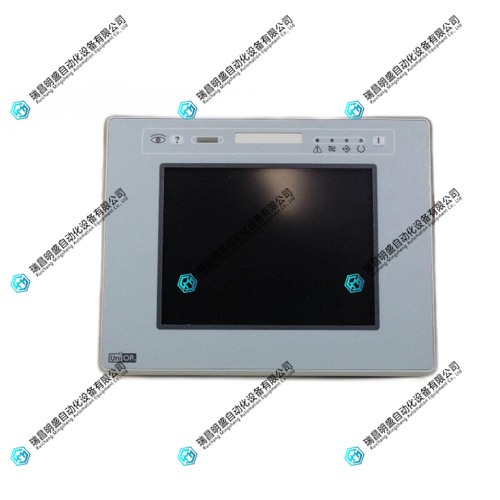
eTOP05EB-0050 触摸屏 产品展示
产品视频
3.其他产品
ABB REX010 HESG324426R0001 HESG324389编码器模块
Foxboro FBM219 P0916RH输入/输出模块
Foxboro P0904AKI/O接口模块
4.其他英文产品
UFC760BE141 3BHE004573R0141 Thermocouple module
UFC760BE41 3BHE004573R0041 pulse output card
ABB UFC760BE42 3BHE004573R0042 pulse output card
| 710-774063-001 | 8020-SCP-332 | X-DI 32 04 |
| 710-679375-00 | 8020-SCP-323 | X-DI 32 03 |
| 710-678545-00 | 8020-SCP-322 | X-DI 32 02 |
| 710-678525-001 | 8020-SCP-321 | X-DI 32 01 |
| 710-678272-0C1 | 8020-SCP-313 | X-DI 64 51 |
| 710-678272-001 | 8020-SCP-312 | X-DI 64 01 |
| 710-677928-00 | 8020-SCP-311 | X-COM 01 E |
| 710-664601-000 | 8020-SCP-122 | X-SB 01 |
The content is from Ruichang Mingsheng Automation Equipment Co., LTD
Contact: +86 15270269218